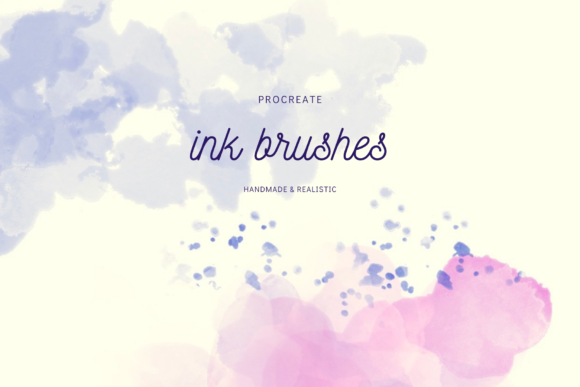
Unlocking Professional Results with a Realistic Procreate Ink Brush Set
Digital art has revolutionized how we create, offering the convenience of undo buttons and infinite canvases. However, many artists struggle to bridge the gap between sterile digital lines and the organic warmth of traditional media. This is where a high-quality Realistic Procreate Ink Brush Set becomes an essential tool in your creative arsenal. Whether you are designing custom wedding invitations, crafting RSVP cards, filling sketchbooks, or engaging in digital BuJo journaling, the right brushes can transform your work from "digital" to "masterpiece." Yet, simply downloading a pack of brushes does not guarantee professional results. Many creators overlook critical details about layering, texture integration, and file compatibility, leading to frustration and subpar designs.
The Misunderstanding of "One-Click" Realism
A common misconception among beginners and even some seasoned freelancers is that installing a Realistic Procreate Ink Brush Set will automatically make their lettering look hand-painted. While these tools are engineered to mimic the flow of ink and the bleed of watercolor, they require intentional technique. A frequent mistake is relying solely on the brush stroke without considering the underlying canvas texture. Digital screens are perfectly smooth, which can make even the most sophisticated ink brush look flat if applied directly to a blank white layer.
To avoid this, you must embrace the power of transparent watercolor-like backgrounds. Many users ignore the included background assets, treating them as afterthoughts rather than foundational elements. When you skip these textures, your ink lacks the subtle grain and absorption it would have on real paper. The better approach is to start your project by importing one of the high-resolution JPG background files. These files are designed to interact with blend modes, allowing your ink to settle into the "paper" grain. By placing your lettering on a layer above a textured background and adjusting the opacity or blend mode, you achieve that coveted authentic look where ink appears to soak slightly into the surface.
Neglecting the Power of Layering and Mixing
Another pitfall is using brushes in isolation. A comprehensive set includes not just lettering brushes, but also smudge brushes, splash brushes, and tools specifically for mixing colors. Users often fail to utilize the smudge tool effectively, leaving hard edges that betray the digital nature of the work. In traditional ink work, colors bleed and soften at the edges; replicating this digitally requires active manipulation.
For instance, when creating a floral motif for a wedding invitation, do not just stamp down a color and move on. Use the transparent smudge brushes to pull the pigment outward, simulating the way water spreads on wet paper. Furthermore, the ability to mix and match colors and shapes is vital. Instead of picking a single solid color from your palette, try layering two slightly different shades using transparent wash brushes. This creates depth and variation that mimics the inconsistency of hand-mixed ink. Ignoring these layering techniques results in artwork that looks uniform and lifeless, lacking the dynamic range that clients expect in custom stationery.
Overlooking File Formats and Compatibility
Technical oversights can derail a project just as quickly as artistic ones. It is crucial to understand that these specialized brushes are compatible with Procreate only. Attempting to import `.brush` or `.brushset` files into other applications like Photoshop or Affinity Designer will result in errors and wasted time. Always verify your software before purchasing or downloading.
Conversely, the bonus 12 FREE readymade background files offer more flexibility. These are high-resolution JPGs, meaning they can be used across various applications, not just Procreate. A common error occurs when designers assume the entire package is locked to one ecosystem. If you prefer drafting your layout in a different program but want the specific ink texture for the final render, know that you can purchase the JPG files only from the designer shop if needed. This distinction is vital for entrepreneurs and small business owners who may use a hybrid workflow involving multiple tools for marketing materials or blog graphics.
Efficiency Mistakes in Custom Stationery Design
When working on time-sensitive projects like wedding suites, efficiency is key. A significant mistake is failing to utilize the erase brush for edges. Hand lettering often requires crisp, clean terminals or intentional roughness. Without a dedicated eraser that matches the ink texture, cleaning up your lines can look artificial, as if you used a standard hard eraser on a soft painting. This disconnect ruins the illusion of realism.
Additionally, many users do not take advantage of the splash brushes to add character. In the rush to finish a design, the artwork remains too clean. Real ink splatters, drips, and has imperfections. Adding a few subtle splashes on a separate layer can ground the design, making it feel organic and handmade. However, moderation is key; overdoing it can make the design look messy rather than artistic. The goal is to enhance the narrative of the piece, suggesting the human touch behind the digital creation.
Making the Right Choice for Your Workflow
Before committing to a specific brush set, evaluate your specific needs. Are you focusing heavily on hand lettering, or do you need versatile tools for illustration? A robust set should include easy background brushes that allow you to build up tones without muddying your colors. Check if the set provides transparency controls that allow for smooth layering. If a brush set forces you to constantly adjust opacity manually to get a fade effect, it may slow down your workflow significantly.
For educators and content creators, the versatility of these tools extends to tutorial creation. Demonstrating how to achieve realistic effects using digital tools can be a valuable lesson for students. However, ensure you are teaching the correct workflow: texture first, then ink, then blending. Skipping steps in your instruction leads to confused learners who cannot replicate the results.
Ultimately, the value of a Realistic Procreate Ink Brush Set lies not just in the files themselves, but in how you integrate them into your process. By avoiding the trap of expecting instant perfection, embracing the necessity of textured backgrounds, and mastering the art of layering and smudging, you elevate your digital art to new heights. Whether you are a hobbyist enjoying digital BuJo journaling or a professional designer crafting high-end invitations, paying attention to these details ensures your final output resonates with the warmth and authenticity of traditional media. Remember to check the compatibility requirements and consider whether you need the full brush suite or just the high-resolution assets to fit your existing toolkit. With the right approach, these tools become an extension of your creativity, allowing you to produce work that is both efficient and profoundly beautiful.