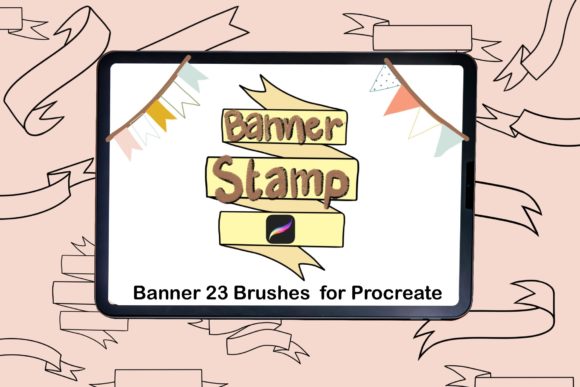
23 Banner Brush Stamps for Procreate
Digital illustration often hinges on the smallest details, and few elements define a composition quite like a well-placed banner. Whether you are lettering a quote, designing a logo, or adding flair to a social media graphic, the framework that holds your text can make or break the visual hierarchy. The 23 Banner Brush Stamps for Procreate collection offers a specialized solution for this specific need, providing a set of twenty-three unique, hand-drawn shapes designed to streamline your workflow within the Procreate app on iPad.
It is important to clarify immediately what this product is and, perhaps more importantly, what it is not. This is a digital download. When you acquire this item, you are receiving a single Procreate brush file (.brush) that contains twenty-three distinct stamp shapes. No physical goods will be shipped to your door; there is no packaging, no delivery wait time, and no tangible inventory. Instead, you gain instant access to a tool that integrates directly into your digital canvas. For those new to digital assets, this means you can start using these banners seconds after purchase, provided you have the Procreate application installed on your device.
Why Different Creators Value Digital Stamps
The utility of a brush stamp set varies significantly depending on who is holding the Apple Pencil. While the core function remains the same—tapping the screen to place a banner shape—the reasons for valuing this tool differ across various user groups.
For beginners just dipping their toes into digital lettering, the primary appeal lies in confidence and structure. Drawing a symmetrical, flowing ribbon by hand requires a steady nerve and an understanding of perspective that takes time to develop. A beginner might struggle with uneven ends or awkward folds that distract from their message. With these stamps, a novice can instantly achieve a professional-looking foundation. They can focus entirely on choosing colors and writing their text without worrying if the banner underneath looks "wobbly." It serves as a learning scaffold, allowing them to produce polished work early in their journey while they study how the shapes are constructed.
In contrast, professional illustrators and freelance designers often view these stamps through the lens of efficiency and billable hours. In a commercial setting, time spent drawing repetitive decorative elements is time not spent on high-value creative decisions. A pro might use the 23 Banner Brush Stamps for Procreate to rapidly mock up three or four layout options for a client during a live call. Instead of sketching a ribbon from scratch, they tap a stamp, adjust the size, and drop in the text. The value here is speed and reliability. They aren't using it because they can't draw a banner; they are using it because they have better things to do with their energy.
Practical Applications Across Industries
Beyond skill level, the way these brushes are utilized shifts based on industry and end goals. Here is how different sectors might integrate this digital asset into their daily operations:
- Small Business Owners & Marketers: For entrepreneurs managing their own social media presence, consistency is key. These stamps allow a bakery, boutique, or consultant to create branded announcement graphics for sales, new arrivals, or holiday hours without hiring a designer. The variety of twenty-three shapes ensures that weekly posts don't look identical, maintaining audience interest while keeping brand recognition high.
- Educators & Teachers: In the realm of digital education, visual engagement helps retain student attention. Teachers creating worksheets, reward charts, or presentation slides in Procreate can use these banners to highlight key vocabulary, label diagrams, or create "Student of the Week" certificates. The handmade aesthetic adds a warm, personal touch that standard clip art often lacks.
- Bloggers & Content Creators: Visual content drives clicks. A lifestyle blogger might use these stamps to create custom pins for Pinterest or header images for blog posts. The ability to customize the color to match a specific blog theme instantly makes the content feel cohesive and professionally curated.
- Hobbyists & Journalers: For those practicing digital planning or journaling, these stamps add decorative flair to daily logs. They can be used to frame monthly goals, highlight gratitude lists, or separate sections in a digital planner, turning a functional document into a piece of art.
Evaluating Quality and Flexibility
When considering whether this tool matches your needs, it is helpful to look at the specific priorities that matter most to your workflow. Not every creator values the same attributes in a digital asset.
If your priority is flexibility, you will appreciate that these are Procreate brushes, not static PNG images. While they function as stamps, being part of the brush engine means they respond to the software's blending modes and layer styles. You can change the color of the banner instantly using the alpha lock feature or clipping masks, something that is often more cumbersome with pre-rendered image files. This allows for seamless integration into any color palette you are working with.
If cost-effectiveness is your main driver, the nature of this item as an instant digital download is a significant advantage. There are no shipping fees, and the price point is generally accessible compared to commissioning custom vector illustrations. For a freelancer working on a tight-margin project, this low overhead allows for higher profit margins while still delivering high-quality visuals to the client.
However, users should also consider creative control. Because these are pre-made shapes, they offer less structural manipulation than drawing a vector path from scratch. If your project requires a banner to twist around a complex 3D object or fit into a highly irregular space, a stamp might require additional warping or masking work in post-production. Experienced users often combine stamps with manual drawing, using the stamp as a base and then tweaking the edges to fit the specific context of the illustration.
Making the Right Choice for Your Projects
Deciding to incorporate the 23 Banner Brush Stamps for Procreate into your library ultimately comes down to identifying your current bottlenecks. Are you spending too much time drawing decorative elements? Do you lack confidence in your hand-lettering backgrounds? Or do you simply need a reliable set of assets to speed up your content creation pipeline?
For the publisher looking to illustrate a children's book, these stamps could provide consistent stylistic elements for chapter headers. For the consumer making personalized greeting cards for family, they offer a way to elevate a simple message into a keepsake. The "handmade" quality mentioned in the item overview suggests an organic, imperfect charm that resonates well in markets saturated with sterile, geometric vector art.
Remember, since this is a digital file, there is no risk of physical damage during shipping, and the file size is typically negligible, meaning it won't clog your device storage. Once downloaded, the brush file can be imported into Procreate with a single tap, ready to use indefinitely. Whether you are a seasoned art director or someone picking up an iPad for the first time, tools like these bridge the gap between imagination and execution, allowing you to focus on the story you want to tell rather than the mechanics of drawing the frame.