Evaluating the Procreate Brush Stamp Leaf and Bottles Set for Digital Illustration
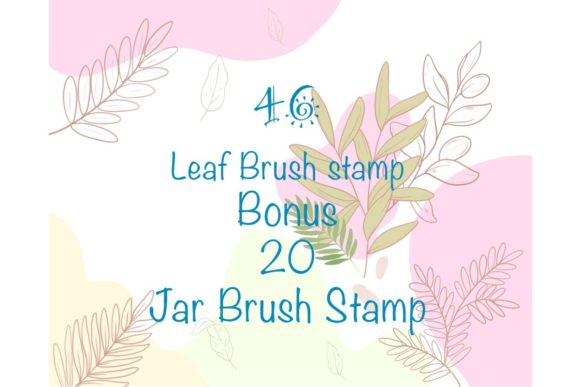
Digital artists often face a critical decision when building their toolkit: should they invest time in hand-drawing repetitive elements, or should they leverage specialized stamp brushes to accelerate their workflow? The Procreate Brush Stamp Leaf and Bottles set represents a specific category of digital assets designed to address this exact dilemma. Comprising 66 distinct stamps—split between 46 leaf shapes and 20 bottle shapes—this collection offers a targeted solution for illustrators working within the Apple ecosystem. However, like any digital resource, its value depends entirely on how well it aligns with your specific project requirements, hardware setup, and artistic style.
Understanding what makes this brush set distinct requires looking beyond the sheer number of included assets. The core utility of the Procreate Brush Stamp Leaf and Bottles lies in its flexibility. Unlike static image overlays that must be imported individually, these are functional brush stamps. This means each leaf or bottle can be scaled, resized, rotated, and recolored directly on the canvas without losing vector-like sharpness (within the limits of the raster engine). For an artist creating a botanical pattern or a still-life composition, this ability to tweak opacity and color settings on the fly significantly reduces the friction between idea and execution.
Workflow Efficiency vs. Custom Creation
When comparing the use of pre-made stamp sets against drawing every element from scratch, the tradeoff is primarily between speed and total customization. Drawing 46 unique leaf variations by hand ensures that every vein and contour matches your specific line weight and stylistic quirks perfectly. However, this approach is time-intensive. The Procreate Brush Stamp Leaf and Bottles set serves as a middle ground. Because the stamps are hand-drawn, they retain an organic feel that purely geometric or vector-based stamps often lack. They provide a "good enough" baseline that can be quickly adjusted, allowing you to focus your creative energy on composition and lighting rather than repetitive sketching.
It is important to note the limitations of this approach. While you can change the color and size, the fundamental shape of the leaf or bottle remains fixed. If your project demands a highly specific species of plant that is not represented in the 46 available shapes, or a bottle silhouette that differs drastically from the 20 provided options, these stamps may serve better as background elements or texture layers rather than focal points. In scenarios where absolute uniqueness is paramount, a hybrid approach often works best: using the stamp set for foliage density and background details while hand-drawing the primary subjects.
Technical Compatibility and Hardware Requirements
A crucial factor in evaluating this product is the strict hardware dependency. The Procreate Brush Stamp Leaf and Bottles set is engineered exclusively for the Procreate app on iPad. This is not merely a preference but a technical limitation of the file format (.brushset). These brushes do not work in Adobe Photoshop, Clip Studio Paint, or any desktop-based illustration software. Furthermore, to utilize the pressure-sensitive features effectively, you need an iPad Pro (or compatible iPad model) paired with an Apple Pencil or a high-quality, pressure-sensitive stylus.
For artists who operate in a multi-platform environment—switching between an iPad for sketching and a desktop for final rendering—this exclusivity can be a significant drawback. If your final deliverables must be editable in Photoshop, relying heavily on proprietary Procreate stamps can complicate your file handoff process. Conversely, if your entire workflow resides within the iPad ecosystem, this integration offers a seamless experience. The brushes are designed to respond to tilt and pressure, allowing for dynamic variation that mimics traditional media, a feature that is lost if attempted on non-compatible devices.
Installation and Usability Considerations
The practicality of a digital asset is often determined by how easily it can be integrated into your workspace. The process for adding the Procreate Brush Stamp Leaf and Bottles to your library is straightforward but requires attention to detail. Users receive a single ZIP file containing the 66 brush stamps. Before import, this file must be unzipped on the iPad. Once extracted, tapping the `.brushset` file should automatically trigger an import into Procreate's brush library.
However, users occasionally encounter hurdles during this process. If the "Open in Procreate" option does not appear immediately after tapping the file, a manual share workflow is necessary. This involves long-pressing the file, selecting "Share," scrolling through the application list, and explicitly choosing Procreate. While this is a minor inconvenience, it highlights the importance of file management skills on iOS. For beginners unfamiliar with the iPad's file system, this step can be confusing. Nevertheless, once installed, the usability is high; selecting a stamp and tapping the screen is an intuitive gesture that feels natural even for new users.
Assessing Value Through Versatility
The inclusion of both botanical elements (leaves) and manufactured objects (bottles) in a single pack creates an interesting juxtaposition. Typically, brush sets are themed narrowly around either nature or products. By combining them, this set caters to a broader range of illustrative needs, such as packaging design mockups, label art, or editorial illustrations featuring nature themes. The 20 bottle shapes offer a variety of silhouettes that can be repurposed beyond just "bottles"—they can serve as vases, potion containers, or abstract geometric forms depending on how they are colored and layered.
Similarly, the 46 leaf shapes provide substantial variety. In comparison to free brush sets found online, which often contain only 5 to 10 generic leaf types, a collection of 46 allows for more complex and less repetitive patterns. When creating dense foliage, repetition is the enemy of realism. Having a larger pool of source material helps break up visual monotony. However, users should evaluate whether the specific style of these hand-drawn leaves matches their portfolio. If your style is hyper-realistic, these stylized stamps might clash. If your work leans towards whimsical, textured, or painterly styles, they are likely to integrate smoothly.
Decision Factors: Is This Set Right for You?
Deciding whether to incorporate the Procreate Brush Stamp Leaf and Bottles into your permanent library comes down to three main questions. First, is your primary creation device an iPad running Procreate? If you rely on desktop software, this purchase is incompatible. Second, do you frequently illustrate scenes requiring vegetation or container objects? If your niche is character portraiture or urban architecture, the utility of these specific stamps diminishes significantly. Third, do you value speed over total control? If you enjoy the meditative process of drawing every single leaf, a stamp set might feel like a shortcut that undermines your personal touch.
For professionals creating content for social media, greeting cards, or surface pattern design, the efficiency gains are undeniable. The ability to rapidly prototype a layout by stamping down various leaves and bottles, adjusting their opacity to create depth, and recoloring them to match a brand palette is a powerful workflow accelerator. However, for fine artists seeking to produce one-off gallery pieces where every mark must be deliberate and unique, these tools might serve better as reference aids rather than final drawing instruments.
Ultimately, the Procreate Brush Stamp Leaf and Bottles set is a specialized tool rather than a universal solution. It excels in environments where speed, organic texture, and iPad-native workflows are prioritized. By understanding its constraints regarding platform compatibility and shape flexibility, artists can make an informed decision on whether these 66 stamps will enhance their creative process or remain unused in their digital library. As with any digital resource, the true value is unlocked not by the download itself, but by how strategically it is applied to solve specific artistic challenges.